
Name-Based Case Searches
The Titus County Clerk does not offer an anonymous last-name search form. That is the honest starting point. The official Court Records page routes visitors through an acceptance step into Texas Online Records. That portal presents a login screen before anything else. No public name fields sit on the other side for a guest to use. A workable docket search by name in Titus County starts with classifying the court. The next move is turning to whatever portal or clerk channel actually covers that case type.
- Read the citation, filing, or notice and identify District Court, County Court, a JP precinct, or Mount Pleasant Municipal Court.
- Use the matching official portal when available, or contact that clerk with the person’s name and case type.
- Supply a middle name, filing range, or court only when the source supports those details.
- Open a likely result and compare its court, cause number, filing date, and case type.
- Verify the result with the responsible clerk before requesting a record or relying on a setting.
Where you search depends on who holds the file. The District Clerk keeps district felony, civil, family, and juvenile cases. The County Clerk is the other office. County civil, misdemeanor, probate, and County Court files belong there. Each JP and municipal court keeps its own docket. Keep that split in mind as your main search filter.
Titus County Records Login Gate
The County Clerk Court Records page links to Texas Online Records. That destination presents Email or Username, Password, Login, Forgot Password, and Register controls. No anonymous name, cause-number, court, case-type, status, hearing-date, export, or pagination controls appear. Registering is the legitimate way in. Otherwise, work with the clerk directly. Never guess at options the portal does not offer.
| Field label | Type | Required | Notes |
|---|---|---|---|
| Email / Username | Text | Not stated | Account identifier on the captured screen |
| Password | Password | Not stated | Account credential |
| Login | Button | Action | Submits credentials |
| Forgot Password? | Link or button | No | Starts recovery |
| Register | Link or button | No | Creates an account |
The clerk describes the underlying case information as real time, "as is," and not for official use. A live screen view is still not a certified court record.
Case Number Searches
Copy the cause number exactly as printed, down to the punctuation, year, and any court prefix. Titus County uses no single universal number format. An invented pattern will misroute a docket search. Treat the number on the filed notice as the controlling key. A district cause number may fail in the County Clerk's system. A city citation number belongs elsewhere. It goes first to the issuing municipal court.
A no-hit result is a prompt to confirm the court. Do not strip punctuation or alter digits. Ask about the format. The file may carry a legacy format, an appellate cause number, or a related cause from a transfer or consolidation. A Sixth Court appeal has its own appellate number. TAMES can also accept the trial court case number. The clerk can tell you which number controls the case now.
Note: A cause number is unique within its court system, not across every Titus County docket source.
Titus County Cases in re:SearchTX
re:SearchTX is the state's registered-user layer for civil and non-criminal search and document sharing. Its official guide lists four search modes: Cases, Filings, Text in Documents, and Hearings. Controls and filters change with the mode. Result links open case or filing detail. Accounts add export and saved searches. An eFileTexas credential is required.
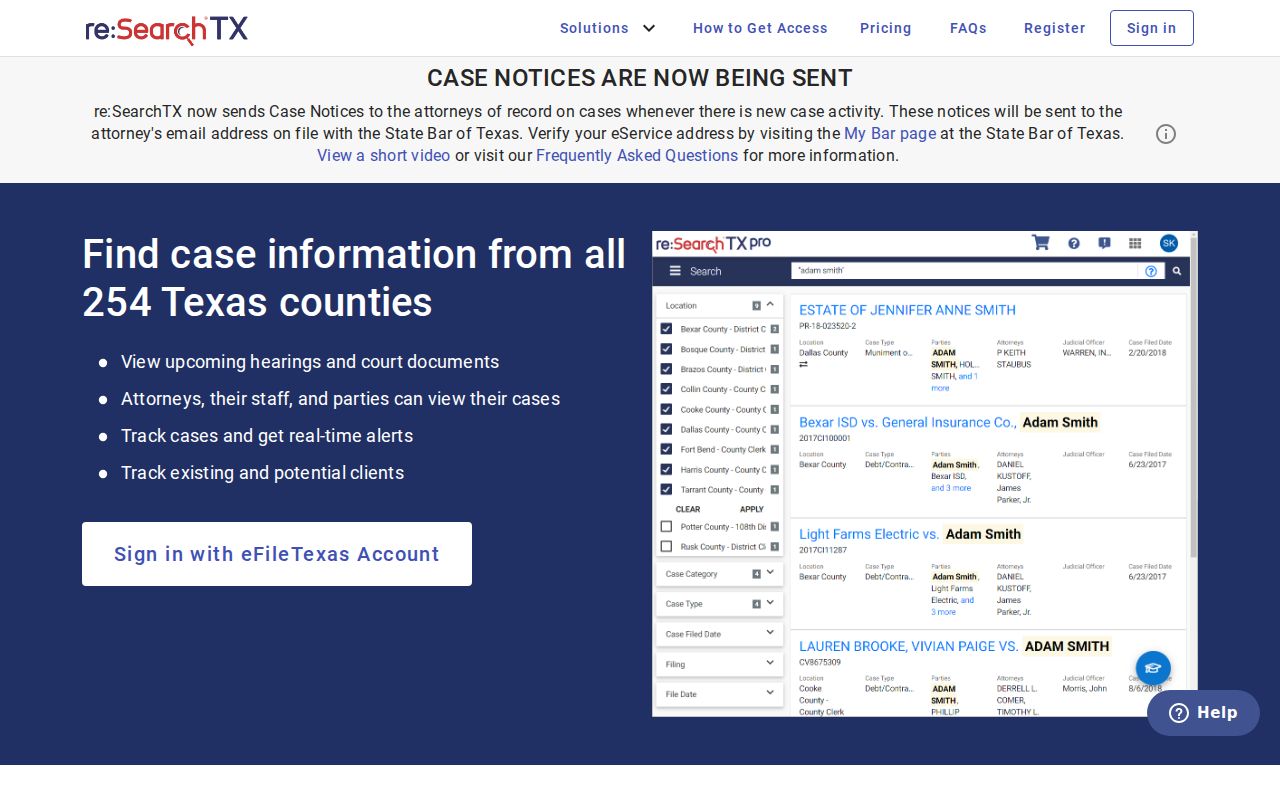
The portal supports a statewide supplemental search. It does not promise complete Titus County coverage. re:SearchTX replaces no local criminal, JP, or municipal source. It can help with integrated civil matters, while the local clerk stays the authority for the filed record and any certified copy.
Case Search Results Explained
A case-search result points you toward the docket. The strongest fields name the court. They also give the number, type, status, and filing date. The detail view may go further. It can list dated filings, settings, orders, disposition, appeal markers, or document links. Public fields depend on the court and your access level. These categories describe what such systems can show, not a fabricated local sample.
| Cause number | The exact local identifier used by the responsible court. |
|---|---|
| Style or parties | The case caption and public role labels, subject to confidentiality. |
| Court and judge | The assigned court and presiding judicial officer where displayed. |
| Filed date and type | When the matter opened and its category, such as civil, felony, probate, or traffic. |
| Status | A local value such as active, disposed, dismissed, appealed, or restricted. |
| Docket events | Dated filings, notices, hearings, orders, judgments, and disposition entries. |
| Document link | An image or PDF when public and available; absence does not prove no filing exists. |
"Filed" means the clerk accepted a document, not that the judge granted it. A setting is not a disposition. A proposed order is not a signed order. When legal proof is required, request a certified copy from the clerk.
Titus County Appeals in TAMES
An appeal from a Titus County trial court lands on a separate appellate docket, usually at the Sixth Court of Appeals in Texarkana. The TAMES appellate search provides Case Search and Document Search tabs. Search fields cover court, exact or partial case number, civil or criminal type, filed-date range, style, attorney or bar number, trial court case number, trial county, and trial court.
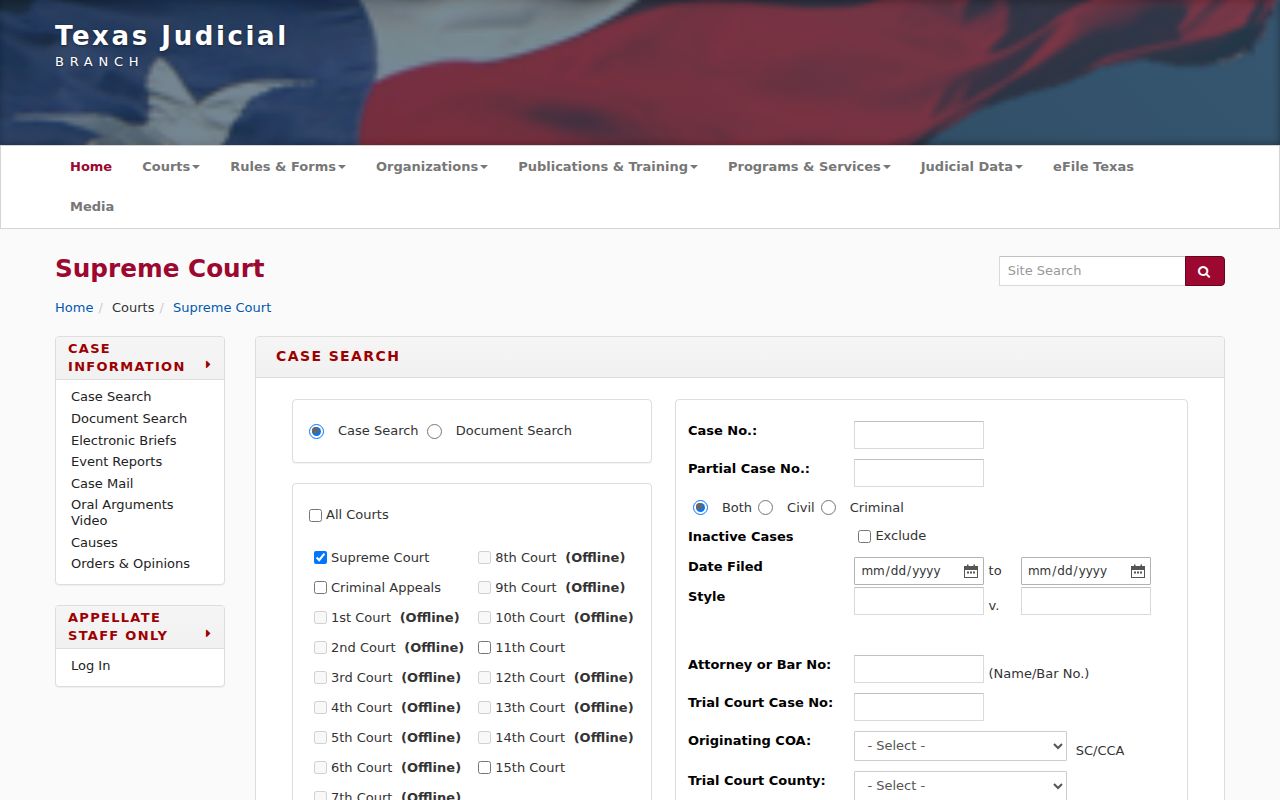
The appellate interface shows why trial and appeal searches stay separate. TAMES refreshes nightly, not in real time. Use it for the appellate cause and documents, then turn to the Titus trial clerk for the original record.
Two Ways to Search: County and State
Local and statewide paths answer different questions. A known County Court case belongs with the County Clerk, while a participating civil matter may also surface in re:SearchTX. No single public statewide search covers every Texas trial case.
| Question | Titus County source | Texas source |
|---|---|---|
| Best scope | Known local court or case type | Participating civil and non-criminal cases |
| Access | Portal login or clerk contact | Account with eFileTexas credential |
| Criminal and lower court depth | Separate District, County, JP, or municipal custodian | Not a complete local criminal or lower-court docket |
| Official copy | Responsible clerk | Search result is not certification |
Federal cases run through PACER and the Eastern District of Texas Texarkana Division. That is a separate court system entirely. For a current hearing, the Titus County court schedule points you to the coordinator or issuing court.
Missing Titus County Docket Hits
A blank result is rarely the end of the road. It usually points to a date limit or a restricted case. It may be a different number format. Or it may be a lag between the systems that feed the docket. For coverage windows, the County Clerk handles civil and misdemeanor docket records from 1983 forward. Probate files reach back to 1993. Anything older may call for a direct inquiry with the clerk or an archival request.
Search each office on its own. That means the District Clerk, the County Clerk, the JP precinct, and the municipal court. Try the office where the case was filed. If the matter went up on appeal, check TAMES too. When you need an actual copy, contact the responsible clerk in person, by phone, or by mail. Mail requests to the County Clerk must include a self-addressed stamped envelope. The clerk offers no public terminal or request tracker. Call ahead before you make the trip.
Do not treat “no result” as “no case.” Confirm the court, coverage dates, access rules, and exact cause number with the custodian.
Which Cases Stay Restricted
Some Titus County court records stay closed by law. Juvenile files are confidential under Texas Family Code chapter 58, though that chapter carves out exceptions. Child-protection calendars might list a hearing date. The child's identity and the case details stay out. Adoption files and other sensitive family matters can be withheld too. A sealed civil docket may show only a thin marker or nothing of substance.
Don't assume you know why a record is blocked. Expunction, nondisclosure, sealing, dismissal, deferred adjudication, and "off docket" all mean different things. A restricted result never tells you which applies. An empty one does not either. Texas Rule of Civil Procedure 76a sets the standard for sealing court records. Rule 12 covers access to judicial records. Case files sit outside the ordinary Public Information Act path that governs executive records. Send the request straight to the court or clerk holding the case.
Redaction is another wrinkle. A docket entry can stay public while personal identifiers get blacked out. Never try to slip past a login or a restriction. An authorized party should simply ask the clerk what proof or court order is needed.
OCA Data Is Not a Titus Docket
The OCA CARD activity search counts court activity in the aggregate, sorted by court type and report section. It gives useful workload context. It cannot find a cause number, a filing, or a hearing. Titus justice courts reported 6,013 total active pending matters for the reporting year that ran September 1, 2024 through August 31, 2025. That figure is a workload snapshot. It is not a roster of unique people, and it is not a searchable case docket. The official page behind the link shows how the categories break down.
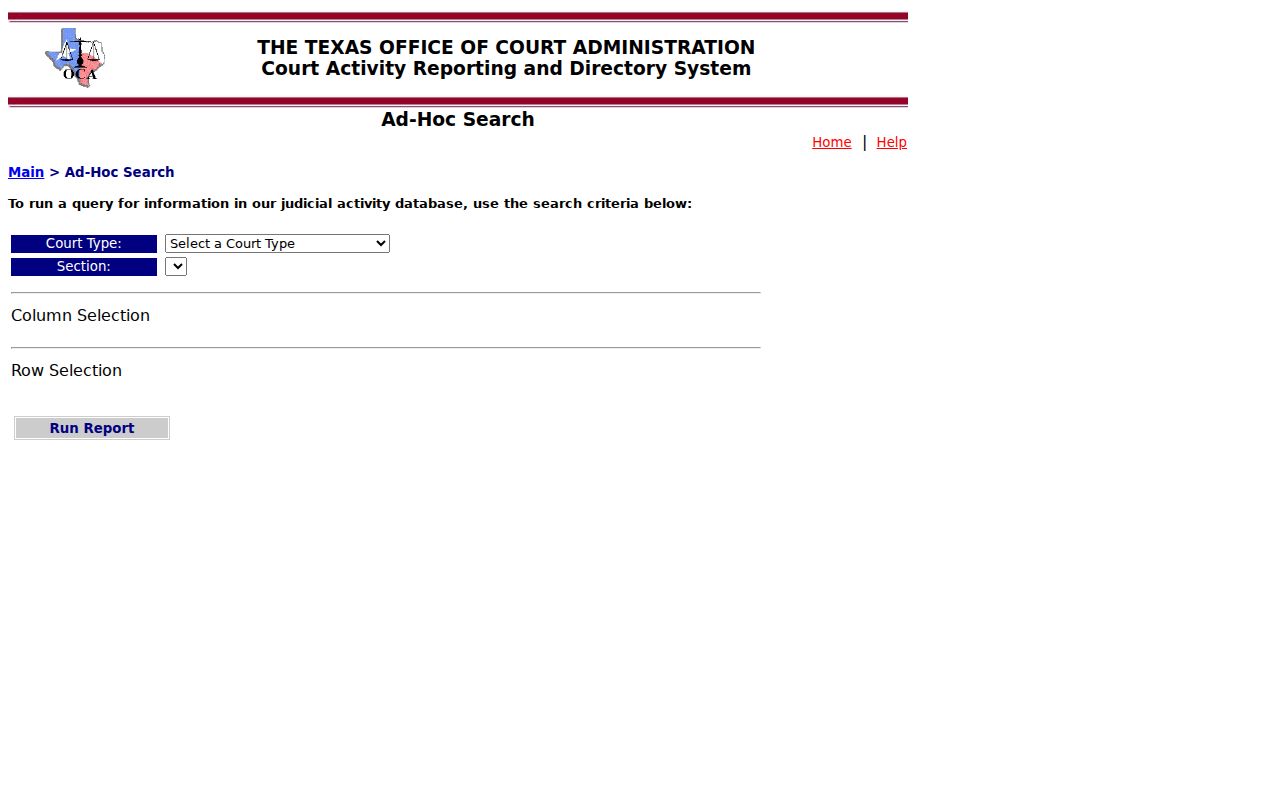
The activity query lets you pick report categories and pull official totals. That is the key difference from a case docket search. Use OCA for numbers and court-directory context; use the local clerk for case-level facts.